Volume 1 · Lecture 2
Doing Organized and Replicable Research
Joan Llull · CSIC-IAE & BSE
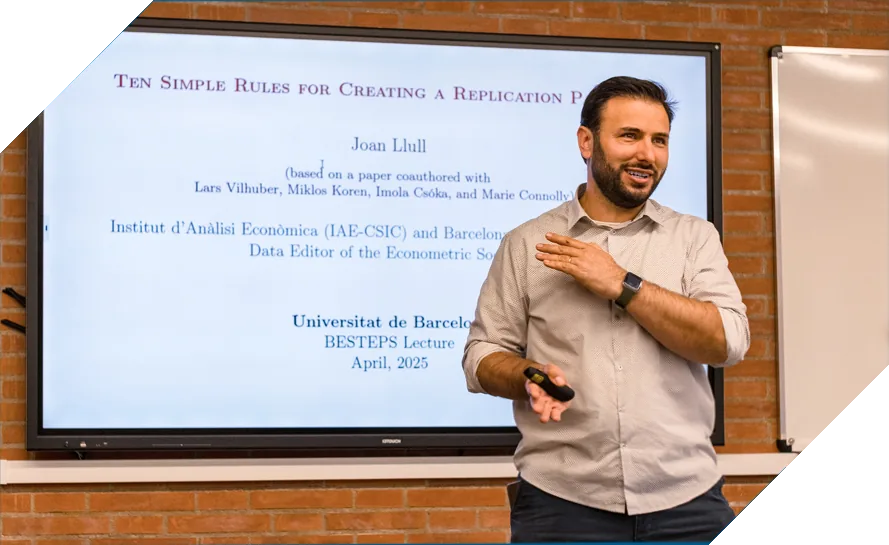
Lecturer: Joan Llull. Joan is a Professor of Economics at IAE-CSIC and BSE. He is the Data Editor of Econometrica, Quantitative Economics, and Theoretical Economics. He was awarded an ERC Starting Grant and an ERC Consolidator Grant. His research is mainly in labor economics and structural microeconometrics, focusing on migration, inequality, human capital accumulation, technological progress, and labor market frictions.
In this lecture, Professor Llull will present the replication package as a conceptual and practical framework for doing organized research through better managing data and coding. He provides an overview of replication packages and goes through concrete steps in building a replication package, which is not just to make it easier for others to reproduce your work, but also to help yourself keep track and build on your own work.
Contents of this lecture:
Introduction: Reproducibility and Replication Packages
Organizing the project according to the standard and structure of a replication package is not just about preparing for journal requirements or increasing replicability for others, but also having a disciplined framework for organizing the entire research workflow. Rather than treating it as a final-stage obligation, we should use the logic of a replication package to guide our work from Day 1: organizing and documenting raw data, scripts, and outputs with the end product in mind1.
Reproducibility and Replicability in Economics
Reproducibility, defined as obtaining the same results using the same data and same methods, is what most journals verify before publication. It is the cornerstone of transparent and credible empirical research, allowing the profession to build incrementally and confidently on prior work. However, reproducibility is just the first step. The broader profession may later explore replicability, a more demanding standard: whether the same results can be recovered using new data, different methods, or both.
The responsibility of ensuring reproducibility falls not only on journals but also on us, the researchers. Reproducibility is directly tied to the impact of your research. Papers with accessible and well-documented code are easier for other researchers to engage with, cite, and extend. If you want your research to really have an impact, you should allow others to reproduce it and build on it.
In economics, a number of initiatives are actively promoting reproducibility and replicability. Journals now often require data and code availability statements, and some have appointed dedicated Data Editors to conduct pre-acceptance reproducibility checks. The Social Science Data Editors have developed shared standards, such as the DCAS and a template README file, to harmonize expectations across journals. Public platforms like the Replication Wiki curate over 16,000 links to published replication packages, while organizations such as the Institute for Replication (I4R) carry out post-publication checks and host Replication Games, bringing students and researchers together to test findings.
Replication Package: a Framework for Organizing a Project
When we refer to “replication packages”, we are actually talking about “reproduction packages”, in the sense that these packages typically allow readers to use the same data and follow the same methods to obtain the same results of a paper.
A replication package is not just a technical necessity; it’s a matter of integrity and communication. Think of it as a teaching tool for your work, offering a clear step-by-step guide to how you reached your findings. Also, remember, future-you will thank you when revisiting the project for revisions or extensions. In contrast, an opaque or confusing package will frustrate users, diminish the impact of your research, and even prevent yourself from understanding the previous exercises.
It is essential to develop the habit of creating a replication package from Day 1 of a project. This offers several advantages.
It helps your future self: We often need to revise and update, and having the project organized towards a replication package makes this easier.
It fosters scientific openness, and you will be requested to publish your package at some point.
Packages that pass pre-acceptance checks often speed up the publication process (surprisingly, about 75% of submissions fail at least one check).
Replication packages increase the visibility and impact of your research: Data from the Econometric Society shows that a typical package is downloaded around 100 times per year.
A well-organized package is less likely to contain unnoticed errors and boosts the credibility of your research.
Structure of the Replication Package
But what exactly should we do to organize the project folder as a replication package? Or, what does a replication package contain? An ideal replication package typically contains 16 standard elements2 according to the Data and Code Availability Standard (DCAS), which aims at harmonizing the requirements from all journals. Broadly, a replication package (and your project folder) consists of data, code, and documentation3:
Data: Include a Data Availability Statement, raw datasets, and, where relevant4, the processed datasets used for analysis.
Code: Provide all scripts needed to transform raw data into analysis-ready data, and to produce the final tables, figures, and other results.
Documentation: This ties everything together. It should explain how to run the scripts, how to access external data (when it cannot be shared), and how any experiments or surveys were conducted, etc. At a minimum, include a README file.
Next, we will review the best practices for creating a good replication package (and for organizing your project), divided into two parts. First, we’ll look at how to manage your data. Second, we’ll walk through how to organize your project files on your computer. Each part is presented as a step-by-step guide.
Part 1: Managing Data
At its core, data management is about enabling replication. Even with flawless code, replication is impossible without the underlying data. Therefore, the first part of this lecture is devoted to how to manage data, divided into three steps: knowing the principles, dealing with different types of data, and citing and enabling access.
Step 1: Know the Principles
The guiding rule is simple: Make your data available. In case this is not possible due to legal restrictions, cite the data properly and describe how others can access it.
General Principle
As a default, include all datasets necessary to replicate your results.
Exceptions apply only when you lack permission to redistribute the data, or when your exact data extract is already available in a trusted repository (see below).
Best Practices for Sharing Data: To ensure others can fully understand and reproduce your work, share:
Copies of your datasets in non-proprietary formats (e.g.,
.csv,.dta,.txt,.parquet).Raw data, along with cleaning code and documentation.
Comprehensive metadata and data dictionaries describing variable names, units, coding schemes, and data sources. This is especially crucial for datasets with abbreviations, survey codes, or administrative data.
If you cannot share certain datasets, explicitly state this in both the README and metadata files, and explain the access conditions (e.g., through a formal request process).
Trusted Repositories and the FAIR Principles: If you don’t upload the data yourself but it already exists in a repository, the repository should adhere to the FAIR principles:
Findable: Searchable via metadata and a persistent identifier (e.g., DOI).
Accessible: Downloadable using standard open protocols.
Interoperable: Compatible across different software environments and integrable with other datasets.
Reusable: Distributed under a clear license, with documented provenance and in standard formats.
Trusted repositories include Zenodo, Dataverse, and OpenICPSR. Platforms such as GitHub, Dropbox, or personal websites do NOT meet FAIR standards.
Step 2: Dealing with Different Types of Data
“Raw Data”: Understanding the meaning of raw data is essential in empirical work:
Raw data includes: Datasets saved in a different format or with unused variables removed.
Raw data does not include: Datasets where observations were dropped or variables were transformed.
This matters because raw data should allow others to recreate your cleaned dataset exactly from the original extract. The best practice in managing raw data is to keep it in read-only mode to prevent accidental changes. Besides, for historical or scanned data sources (e.g., old PDFs or digitized books), include them in a dedicated
Documentationfolder.Non-Redistributable Data: If you cannot share certain data, you must request an exemption — typically during journal submission. Common reasons include using confidential administrative data, commercial restrictions, or public datasets with non-redistribution clauses. Even in these cases:
Others should be able to apply for access under the same terms.
The data extract should be archived (e.g., institutionally) to preserve reproducibility.
Ideally, there should be no public alternative data that could yield equivalent insights.
A good practice when sharing real data isn’t feasible is to provide synthetic or simulated data:
This enables users to run the code and understand the workflow, even if they cannot replicate the exact results.
Particularly useful for complex data structures such as panels, spatial data, or matched samples.
Self-Collected Data: If the data is collected by yourself, you cannot restrict it for your exclusive use after publication. You must:
Share relevant materials (e.g., questionnaires, methodologies).
Archive the raw, anonymized survey data (rather than just the cleaned version).
Follow IRB guidelines for anonymization and data publication.
Step 3: Citing Data and Enabling Access
A well-crafted Data Availability Statement (DAS) in the README file (more details about the file will come later) is essential. It provides transparency about every dataset used, including those you do not include in the replication package. Your DAS should cover:
Provenance: The origin of the data — who collected it, when, and for what purpose.
Access information: Where the data is hosted, with working links when possible.
Instructions: If the data is not directly downloadable, explain how others can obtain it (e.g., by submitting a form, emailing the provider, paying a fee, or applying for access).
Primary data: If you collected the data, describe your data collection procedures in detail, including sampling design, timing, questions, and instruments.
No data sharing? Then your DAS must be especially detailed, making it clear what data is unavailable and why.
Clarity: Ensure that readers can easily match datasets listed in your DAS with the files provided in your replication package.
Citations: Include a references section in your README file, just as you would in a paper, to properly cite data sources and providers.
Ultimately, data sharing is fundamentally about trust and transparency. It demonstrates to the profession that your findings are not the result of a black box. By sharing the pieces (data, code, and documentation) you allow others to reconstruct the machine and confirm that it works. It also means thinking beyond immediate publication, toward the long-term reproducibility and accessibility of your work.
Part 2: Coding Organized Projects
As discussed in the Introduction, the replication package can serve as the central framework for organizing a research project — not something assembled at the end, but a structure that takes shape from Day 1 and evolves as the project develops. Delaying the creation of replication materials until after a paper is conditionally accepted often leads to disorganization and increases the risk of errors.
Step 1: Set up an Organized Project Folder
Imagine a future replicator (a reviewer, a PhD student, or even your future self) who encounters your code without prior context. Will they understand your logic, structure, and reasoning? Would they be able to replicate your results confidently?
This mindset of computational empathy encourages you to design your replication package with clarity and user-friendliness in mind. Every decision you make, from file organization to code comments, should aim to reduce the effort required for someone else to reproduce your findings.
In this spirit, establishing a clear and consistent folder structure lays the foundation of a replication package and for your own efficient research. It helps reduce the risk of losing track of steps, simplifies the revision process, and fosters good habits from the beginning. Here’s an example of a recommended folder structure for a Stata user:
Project_Folder (Future Replication_Package)/
│
├── 1_Data/
│   ├── Raw/        # Downloaded, unaltered data (e.g. CPI indices, shapefiles
                 , surveys)
│   └── Cleaned/    # Final datasets used for analysis (often left empty for
                replication uploads)
│
├── 2_Code/
│   ├── 2025_01/    # Versioned by month; create a new folder when starting a
                new round of work
│   │   ├── Do.files/         # Main scripts organized by purpose
│   │   │   ├── 0_Main.do
│   │   │   ├── 1_Clean.do
│   │   │   ├── 1_CL_undoc.do  # A special cleaning step, if applicable
│   │   │   ├── 2_Descriptives.do
│   │   │   └── 2_DS_cohort.do
│   │   ├── Log.files/        # Logs for each run
│   │   ├── Tables/           # Tables generated during analysis
│   │   ├── Figures/          # Figures generated during analysis
│   │   └── Stata_packages/   # Custom Stata ado directory for package
                        reproducibility
│   ├── 2025_02/
│   └── ...
│
├── 3_Documentation/
│   └── README.txt   # Instructions and metadata for replicators
│
└── 4_Output/        # Optional: If tables and figures are too large, store
                    final outputs here
                    # Otherwise, keep them within the corresponding Code
                    subfolders
Here, separating raw data from cleaned data prevents confusion and accidental overwriting. Naming code folders by year and month (e.g., 2025_01) helps track the evolution of the project. When moving forward, simply copy the code folder from the previous month to make a new one for the following month.
Remember, all we do here to set up an organized project folder from the very beginning isn’t just about replication; it’s about working efficiently and transparently from the very beginning.
Step 2: Code in an Organized Way
Zooming in on the Code folder, computational empathy is again central here. You should include all the code for data transformation and analysis. This makes explicit all steps and decisions, and allows readers to inspect your methods and reuse them more easily.
Programs to include in the folder
Data cleaning scripts that process raw files into usable formats.
Scripts for merging or reshaping datasets, and for constructing derived variables or indices.
Estimation and model-solving codes.
Simulation and visualization codes.
Code that generates tables, figures, and supplementary appendices.
If you use manual software such as ArcGIS, you should also provide detailed step-by-step instructions for your exercises. However, it is recommended to use scripts whenever feasible.
Have a master file
Moreover, theCodefolder is not just a collection of scripts, but a complete, transparent record of your computational workflow. To achieve this, begin by having a “master file” that runs everything, typically named0_Main.do(or.jl,.py,.m,.R, etc.). Ideally, this script is the one that:Sets up the computational environment by defining paths, loading required packages, and setting global macros or variables.
Sequentially calls all other scripts in the correct order.
Automates the entire analysis pipeline, from processing raw data to generating final tables and figures, so that a single run can reproduce all your results.
Pay attention to paths
Always use relative paths. Set global paths at the top of main scripts (for example, in Stata:global path "C:/MyPath/ReplicationPackage"), and avoid absolute paths that tie your package to a specific computer, and write relative paths like"$path/Data/Raw/census.csv"so others can easily rerun your code by changing the first main line in the master code that defines the path. When writing paths, use forward slashes (/) to enhance cross-platform compatibility.
Bonus Tips: Extra good practices that show computational empathy
Use subfolders generously to organize code, data, and outputs neatly.
Keep individual scripts short and split long ones into sub-files.
Prefer open, non-proprietary formats like
.csvor.xlsxfor data files.Keep track of dataset versions, dates, and download links.
Give meaningful names to programs, variables, files, outputs, etc: use
avg_age, notv22.
Step 3: Keep Track as the Project Moves On
As your project evolves, it’s crucial to maintain clear, organized, and reproducible records of every step. This means not only writing clean, well-commented code but also ensuring that others (and your future self) can understand, replicate, and trust your entire workflow. Remember, computational empathy!
Document every step to run the code
Every script you write along the way should be thoroughly documented. Consistently comment (and indent) your code to explain the logic and structures.In particular, build the README file as you go to explain how to reproduce your work. Basically, it should include:
The Data Availability Statement.
A list of all datasets (included and omitted).
Computational requirements (e.g., software versions).
Descriptions of each script or program.
Instructions for replicators (including run order).
Citations for any reused data or code.
Following the Social Science Data Editors’ README template can save time and help prevent errors. With the README file, you are able to provide a high-level overview of the program structure, list manual actions, and link outputs to scripts and files systematically. You should also cite third-party libraries and data in the README.
Describe software and hardware requirements
Even perfect code can fail replication if others don’t know what environment is needed to run it. Anticipate these questions:Does the code run on a standard laptop, or does it require a workstation?
How long will it take to run? Seconds, minutes, hours, days?
What software and packages are needed (and their versions)?
To make these clear for the replicator, in the README file, you should:
Specify precise software versions (e.g., Stata 17 SE, R 4.3.1, Python 3.10 with pandas 2.1.0).
List all critical libraries and packages - if the code breaks without them, name them; document their versions, as well as installation instructions.
List hardware used (e.g., Mac M2 with 16GB RAM) and note if it can run on less powerful ones.
Estimate running time by code section (e.g., data cleaning: 2 hours; regressions: 10 minutes).
If your package is too time-consuming: prepare a package that allows for a partial replication (e.g., include already-clean data in an intermediate file).
Automate and save everything
Automation not only ensures consistency but also saves time when revisiting or updating the analyses. Manual steps, like copying regression outputs into tables or figures, introduce errors and reduce reproducibility. Instead:Automate the generation of all tables and figures directly from code.
Save all outputs automatically and compute all in-text results from code.
Record logs and diagnostics for every script, and include them in your replication package in an accessible format.
Automate package installations if possible.
In summary, you need to keep track of your own practices and provide clear instructions, with the goal of guiding the replicator in your mind; don’t assume that users will “figure it out”.
Step 4: Wrap Up with the Replication Package
Upon completion of the project (especially for a journal submission), it’s time to finalize and polish your replication package. This step goes beyond simply re-running your code: it’s about ensuring that your entire workflow is clear, reproducible, and ready to be shared with the world.
List all exhibits that can be reproduced in the README
Transparency requires spelling out exactly what outputs your package will reproduce. Include a table that maps exhibits (e.g., tables and figures) to the corresponding scripts, output files, and line numbers. Indicate whether each exhibit requires confidential data. This gives replicators a clear roadmap of what to expect.Table 1. List of Reproducible Exhibits Exhibit Script Output File Line Number Confidential Data Needed? Table 1 regressions.dotable1.texline 45 No Figure 3 plots.jlfigure3.pdfline 101 Yes Include all supporting materials
Now, before finishing your package, double-check whether it includes all the supporting materials. You should (whenever applicable):Include survey instruments or experimental instructions
Original questionnaires, translations, sampling schemes, and reward structures.
If you used software (Qualtrics, SurveyCTO, zTree), share configuration files.
Include ethics approvals (IRB protocol number, institution).
Share pre-registration links (permanent URL or DOI).
Remember, you should not include the manuscript itself unless journal policies explicitly allow it.
At this point, also double-check if you have the complete and up-to-date README file. Then make sure that you use standard formats (PDF, TXT, etc.) for documentation files where possible.
Tag a permissible license
Remember, sharing the replication package doesn’t mean readers can use it without permission. A license clarifies what others can do with your code and data:For data: Use a Creative Commons license (e.g., CC-BY for reuse with attribution, or CC0 for public domain).
For code: Use standard open-source licenses such as MIT or BSD.
You should document the license clearly in your README file. Clear licensing not only boosts reuse, citation, and impact but also reduces legal ambiguity. At a minimum, ensure that your license allows replication, but check repository or journal policies—some impose specific licenses.
Finally, re-run everything once again
Once you believe everything is in place, before zipping and sending it, perform a full dry run of your replication package. This process often reveals hidden issues such as hard-coded paths, undocumented steps, or missing dependencies. The goal is to confirm that your package runs seamlessly from start to finish, without any manual intervention. This can help you detect simple mistakes such as typos, file misnaming, and version mismatches.Run the main script from top to bottom.
Ask a non-involved colleague or RA to test the package without your guidance - this mimics the true experience of an external replicator.
Run it in a clean environment (different machine if possible).
Confirm that everything runs from the package only.
This final check helps you have fewer and faster iterations with Data Editors and leads to a faster publication process.
If your research process has been organized from the start, the replication package basically builds itself - just zip the project folder, and you’re done! Magic! Now, the last thing to do is archive your replication package in a reliable, long-term, and citable repository. Choose a repository that issues a DOI, making your replication package easy to cite. If the journal does not specify a platform, you can consider OSF (Open Science Framework), Dataverse, Zenodo, and AEJ Data and Code Repository (for AEA journals). Remember, you are the one responsible for the package uploaded there, not the journal!
Bonus: Main Takeaways and Ten Simple Rules
Over the past years, we have seen a solid trend for Economics journals to ensure reproducibility, which is a necessary step to encourage replication. This lecture has explained the importance of reproducibility and how to build a replication package for an economics research project. It is worth repeating by the end of the lecture that documentation (README file) is essential. Also, keep the raw data, carefully read the terms of use, and, if necessary, apply for exemptions at first submission.
Let’s now conclude this lecture with the “10 simple rules for creating a replication package” (Vilhuber, Koren, Csóka, Connolly, and Llull):
Rule 1: Computational Empathy!
Rule 2: Make your data available.
Rule 3: Cite data and describe how others can access.
Rule 4: Describe software and hardware requirements.
Rule 5: Provide code for data transformation & analysis.
Rule 6: Explain how to reproduce your work.
Rule 7: List all exhibits that can be reproduced.
Rule 8: Include all supporting materials
Rule 9: Tag a permissible license.
Rule 10: Re-run everything once again.
In the end, a complete and well-documented replication package is more than just a part of the submission. As researchers, following the steps to build your replication package the day you start your project creates a perfect opportunity to ensure an organized research process. In this sense, a replication package serves as a framework for organizing a research project!
Notes
Although it’s not covered in this Lecture, you can also find information on how to track version control of a co-authored project here.↩︎
See Section Part 2: Coding Organized Projects for a detailed recommended folder structure in practice↩︎
Meaning when creating the analysis-ready data is a lengthy process.↩︎